
Escalations and handoff
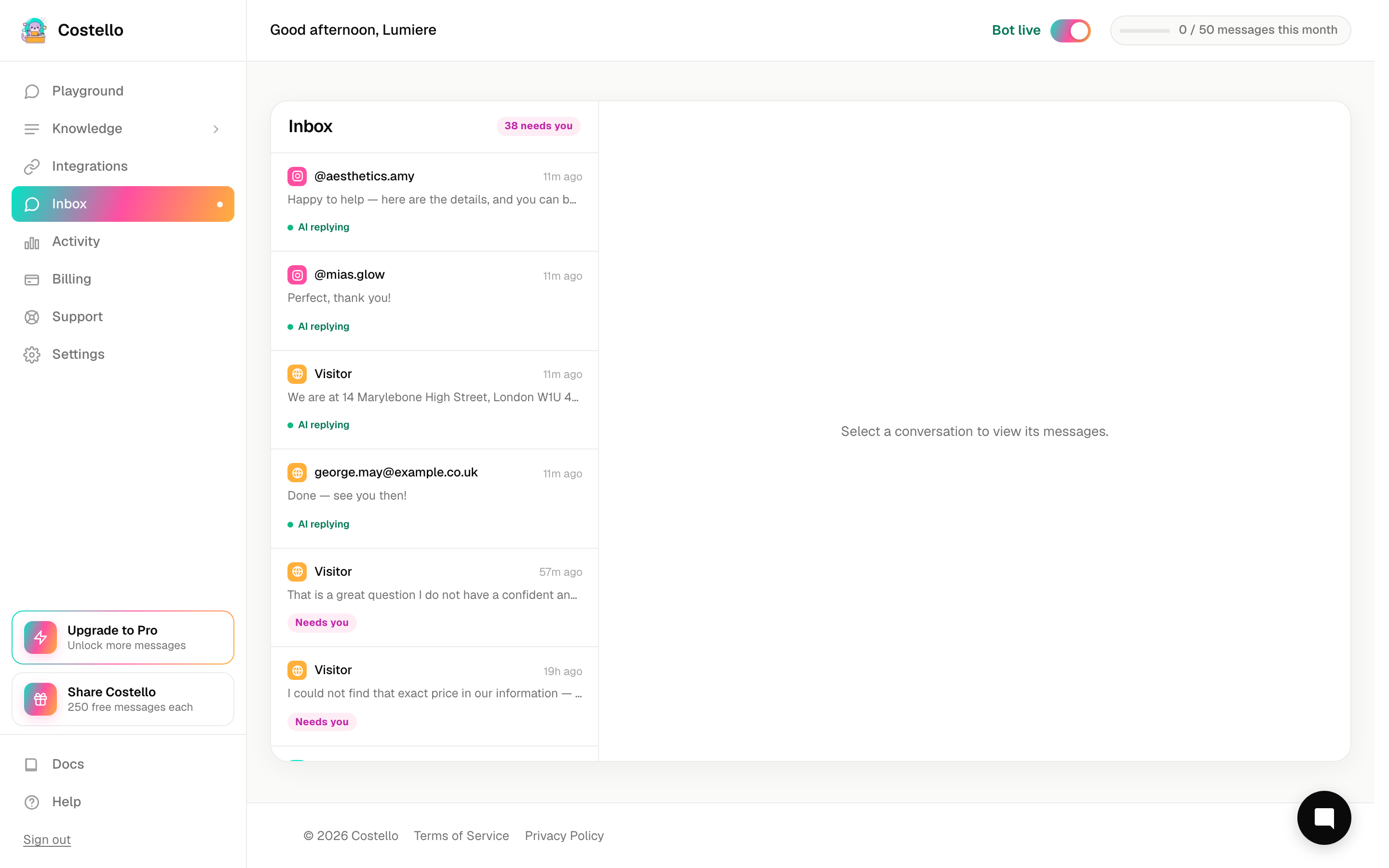
Costello answers most enquiries on its own, but it knows its limits. When a conversation needs a human, it escalates — flagging it for you and forwarding it to your team. This is the safety net that means no customer is ever left without an answer.
What triggers an escalation
Costello hands a conversation over in a few situations:
- Knowledge gap — the customer asked something Costello hasn't been taught. Rather than guess, it flags it.
- Explicit request for a human — the customer says they'd like to speak to a person.
- Sensitive enquiry — the message touches on something Costello shouldn't handle alone, such as a complaint or a delicate medical question.
In every case Costello is choosing honesty over guesswork, which protects your reputation.
Where escalations show up
You'll see escalations in two places:
| Where | What you see |
|---|---|
| Inbox | The conversation is flagged with an escalation indicator, and the detail panel shows the reason it was handed over. This is where you step in and reply. |
| Activity | Escalations are counted as knowledge-gap escalations in the headline metrics, and each conversation in the history table shows its escalation status and reason. This is your bird's-eye view of how often it's happening. |
Use the Inbox to handle an escalation right now. Use Activity to notice patterns — the same question coming up again and again is a sign to add an answer for it.
How the handoff email works
As well as flagging the conversation in the app, Costello forwards every escalation to your handoff email. That way you're notified even when you're not logged in, and the enquiry lands somewhere a person will see it.
You set this address in business information. A few things to get right:
- Use an inbox someone actually checks — your main address or a shared team one.
- Don't leave it blank. If there's no handoff email, an escalation has nowhere to go and a customer could be left waiting.
- Update it straight away if the person who watches that inbox changes.
Reducing escalations over time
Some escalations — a request for a person, a sensitive matter — are exactly what should happen. But knowledge-gap escalations are different: each one is a question Costello could learn to answer.
The pattern is simple:
Check the escalations in Activity. Look for the same gap coming up more than once.
Teach Costello the missing information so it can handle that question next time.
As your knowledge grows, knowledge-gap escalations drop and more enquiries are handled automatically.
Treat each knowledge-gap escalation as a free tip on what to teach Costello next. The more you add, the less often you'll need to step in.