
Test your receptionist in the Playground
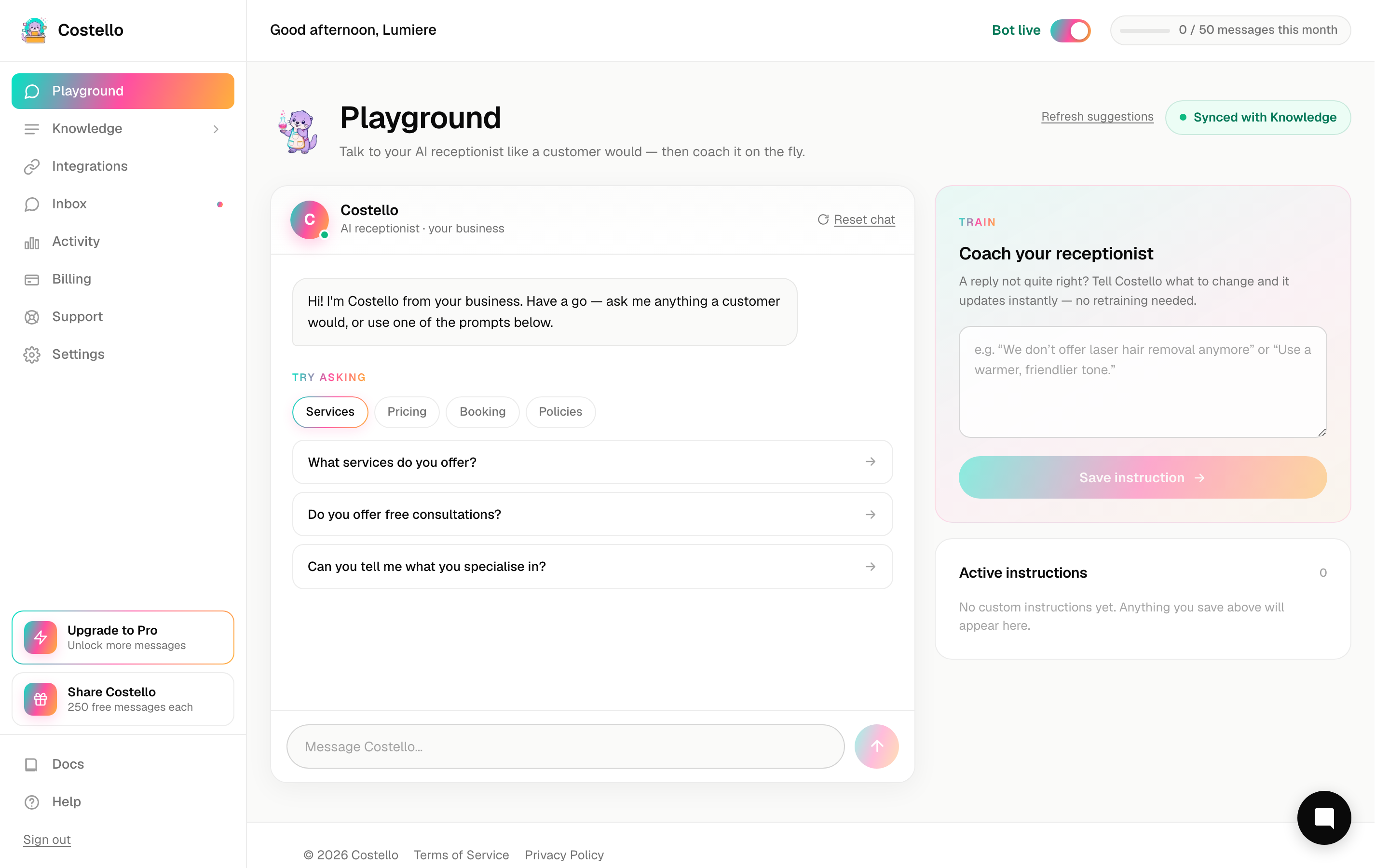
The Playground is a chat window where you talk to your AI receptionist exactly as a customer would. It's the quickest way to check what Costello will say before a real customer ever asks.
You'll find it in the left-hand menu under Playground.
The Playground always reflects your current knowledge base. That's what makes it so useful: it's how you check your training before you go live, and how you confirm a change worked after you make one.
How to use it
Click Playground in the left-hand menu. A chat window opens, ready for your first message.
Below the chat box you'll see suggested prompts — sample questions Costello has generated from your own business details. Click any one to send it straight away. It's the fastest way to start testing.
Want different questions to try? Click Refresh prompts to generate a fresh set. Handy once you've worked through the first batch.
Type anything a real customer might ask and press send. Costello replies just as it would in a live chat.
Don't just check that an answer appears — check that it's right. Is the price correct? Are the hours accurate? Does it sound like your business? (More on this below.)
What to throw at it
A good test covers the questions your customers actually ask. Work through this list:
- Prices — "How much is a chemical peel?" Check the figure matches your real pricing.
- Opening hours — "Are you open on Saturdays?" Make sure it knows your days and times.
- Location — "Where are you based?" and "Is there parking?"
- A booking request — "Can I book in for Thursday?" See how it guides the customer towards booking.
- A tricky or edge question — something unusual, like "Do you treat under-18s?" or "I had a reaction last time, is that normal?" This is where gaps show up fastest.
The awkward questions are the most valuable. Anything Costello fumbles in the Playground, it would fumble with a real customer too — so it's far better to find it here.
Reading the replies critically
When you read an answer, ask yourself:
- Is it factually correct? Wrong prices and wrong hours are the most common issues.
- Is it complete? Or did it dodge part of the question?
- Does it sound like you? The tone should match your business, not feel robotic.
- Did it say "I don't know"? That points to a gap in your knowledge base.
If anything's off, that's not a problem with the Playground — it's a signal to improve your training.
Make it a habit: any time you add a price, edit an FAQ, or update your hours, pop into the Playground and ask the matching question. It's the simplest way to confirm the change landed the way you wanted.