
Upload files
Uploading files is the fastest way to get detailed business information into Costello's knowledge base. Treatment menus, aftercare guides, consent form summaries, and cancellation policies are all good candidates.
Supported file types
| Format | Notes |
|---|---|
PDF (.pdf) | Best option for most documents. All text content is extracted. |
Word (.docx) | Supported. Formatting is stripped; only text is used. |
Plain text (.txt) | Useful for simple lists or exported data. |
Excel spreadsheets, images (.jpg, .png), and PowerPoint files are not currently supported. Convert them to PDF before uploading.
Maximum file size is 10 MB. For larger files, consider splitting them by topic — a single focused file is easier to maintain than one large document.
How to upload a file
In Costello, open Knowledge Base in the top nav.
Click Add source → Upload file.
Choose the file from your device, or drag and drop it onto the upload area.
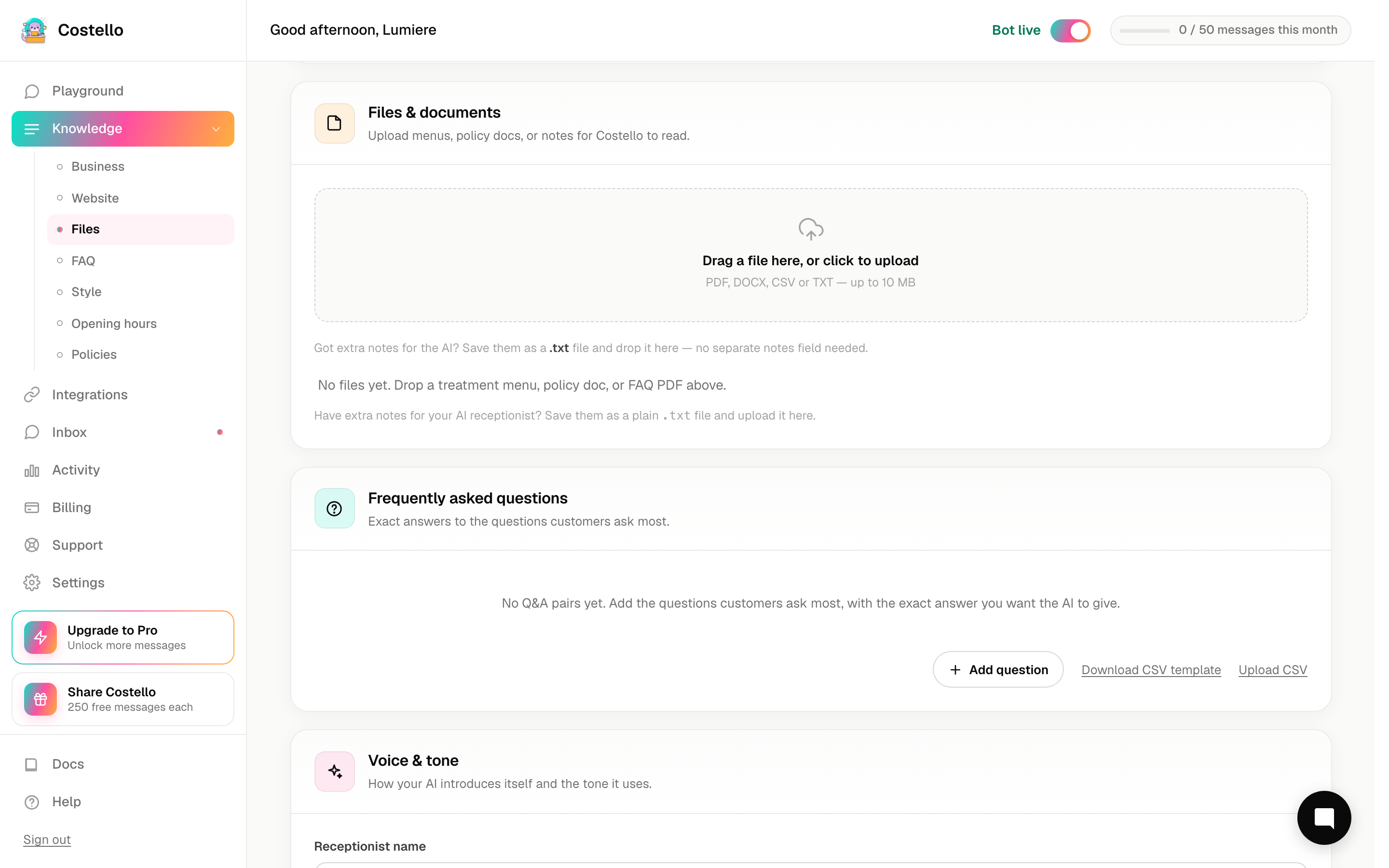
Give the file a descriptive name so you can identify it later — for example, "Treatment menu — May 2026".
Click Upload. Costello queues a retrain right away. The "Processing…" badge disappears once the new content is live, usually within a few minutes.
Tips for better results
Use clear, structured text. Tables of treatments with prices and descriptions work better than dense paragraphs. If your PDF was originally a designed brochure, Costello may struggle to extract the layout — a plain-text export is often cleaner.
One topic per file. A file called "Services menu" is easier to maintain than a file that mixes services, opening hours, and staff bios. When pricing changes, you update one file rather than hunting through a combined document.
Remove outdated information before uploading. If a file contains discontinued treatments or old prices, remove them first. Costello will use whatever is in the file.
Keep filenames meaningful. "menu_final_v3_FINAL.pdf" is harder to manage than "Treatment menu — May 2026.pdf". You'll thank yourself when you update it in six months.
Updating a file
Files are versioned. To update a file:
- Open Knowledge Base and find the file.
- Click Replace and upload the new version.
- Costello retrains using the new file. The old version is discarded.
You can also delete a file if you no longer want Costello to use it. The AI will stop referencing it after the next retrain.